Spectra 300 maintenance (DRAFT)
This page collects recovery and maintenance procedures specific to the Spectra 300 at Stanford SNSF. These are not part of normal acquisition but may be needed mid-session. Drafted by Sangjoon Bob Lee from staff-provided notes and images.
Caution
This is a rough draft. Confirm each procedure with staff before relying on it.
Overview
| Procedure | When to use | Time |
|---|---|---|
| Liquid nitrogen fill | LN dewar reads low during session | 10-15 min |
| Octagon recovery | TEMUI shows an Octagon vacuum error | 2-5 min |
Liquid nitrogen fill
Refill the LN dewar from the portable nitrogen tank in the back room when the level drops. Wear cryo gloves — liquid nitrogen can cause severe cold burns.
TODO: Confirm at what nitrogen level (%) staff want users to start a refill.
-
Check the nitrogen level
-
On the Spectra touch panel, check the
Nitrogen Levelreadout. Refill when the level reads low.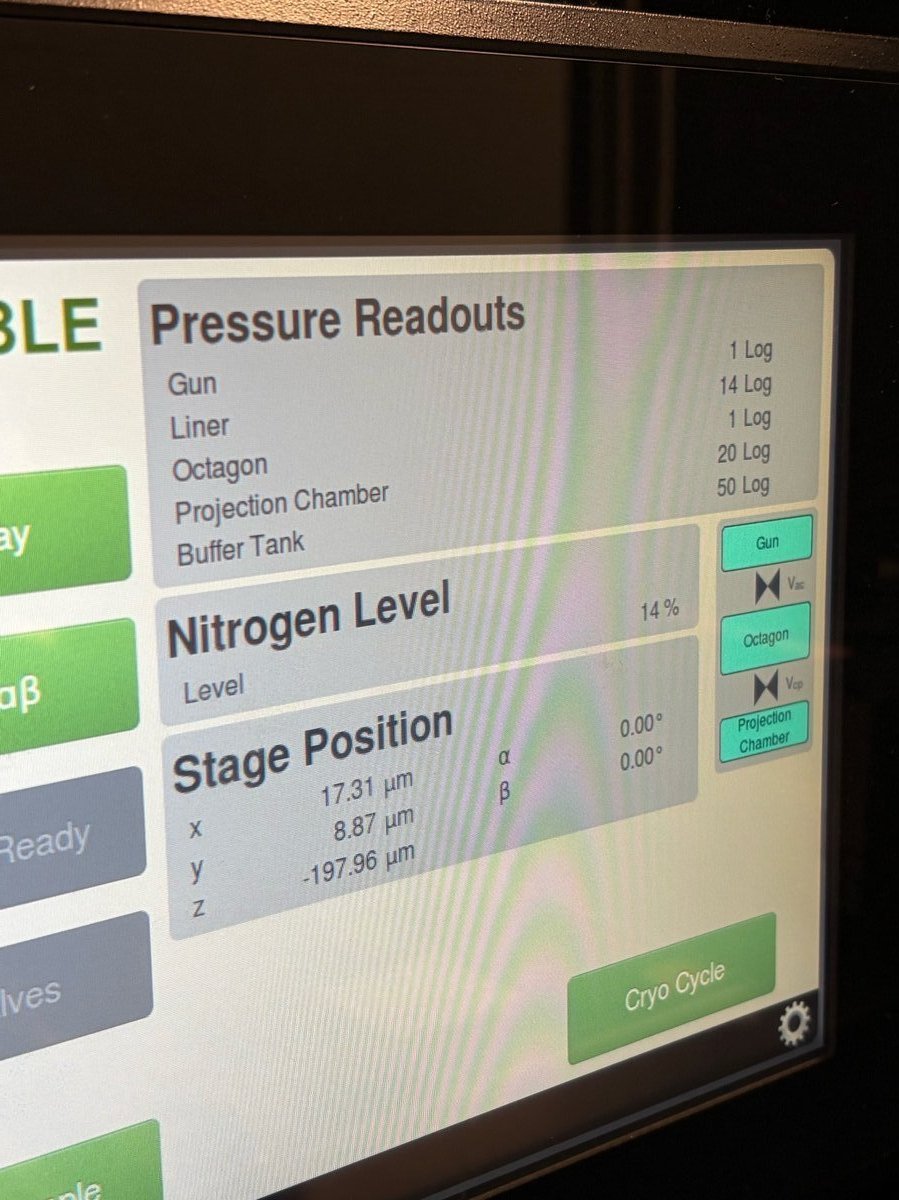
-
-
Bring the portable tank into the Spectra room
-
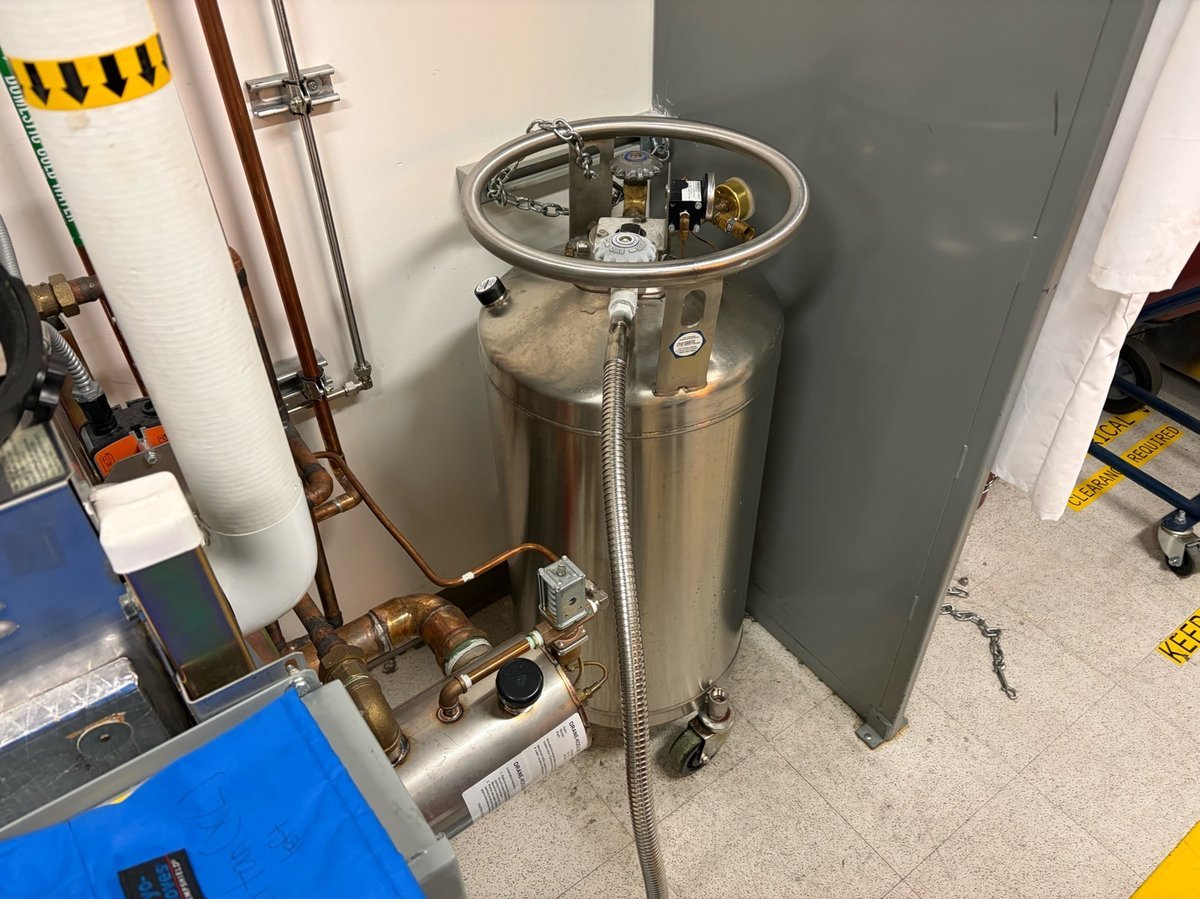
The portable nitrogen tank is stored in the back room.
-
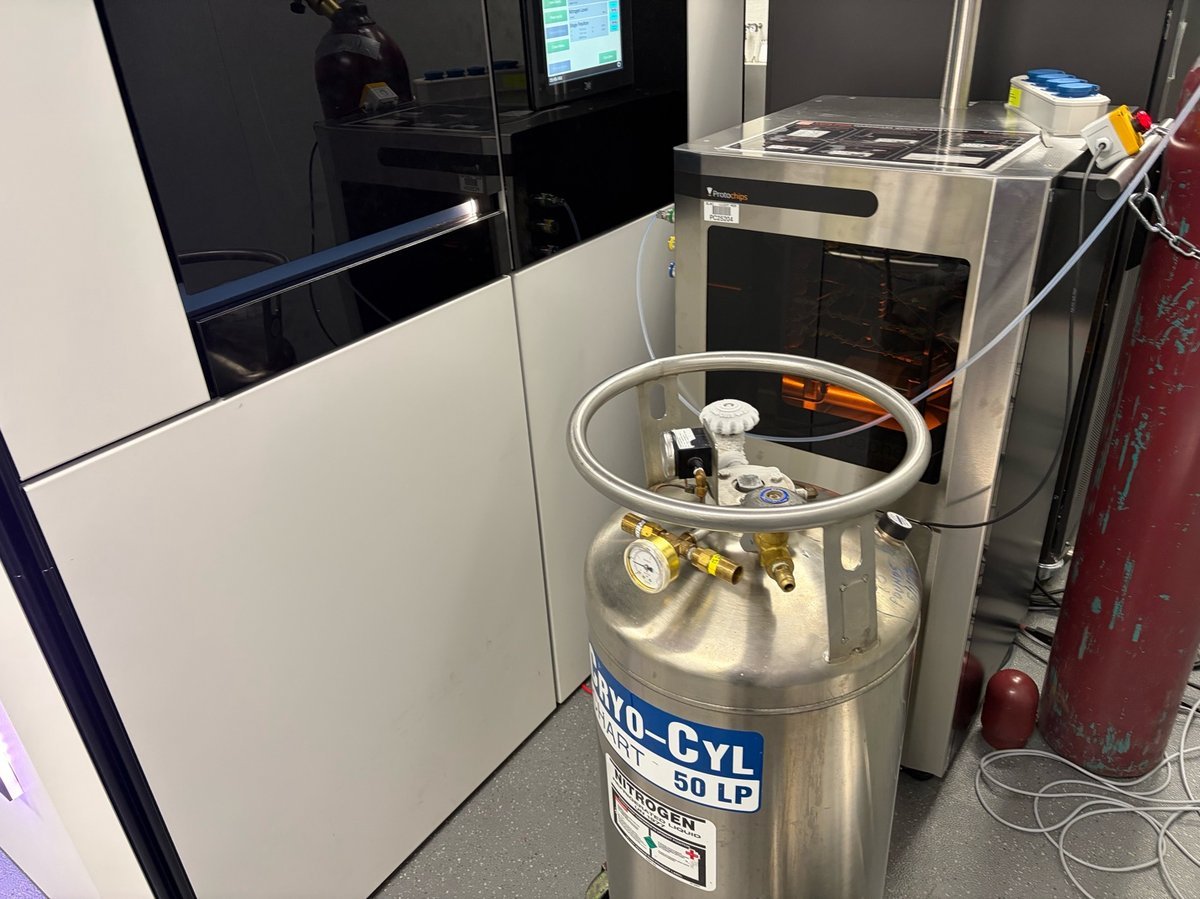
Roll the tank to the sample-loading area inside the Spectra room.
-
-
Put on cryo gloves
-
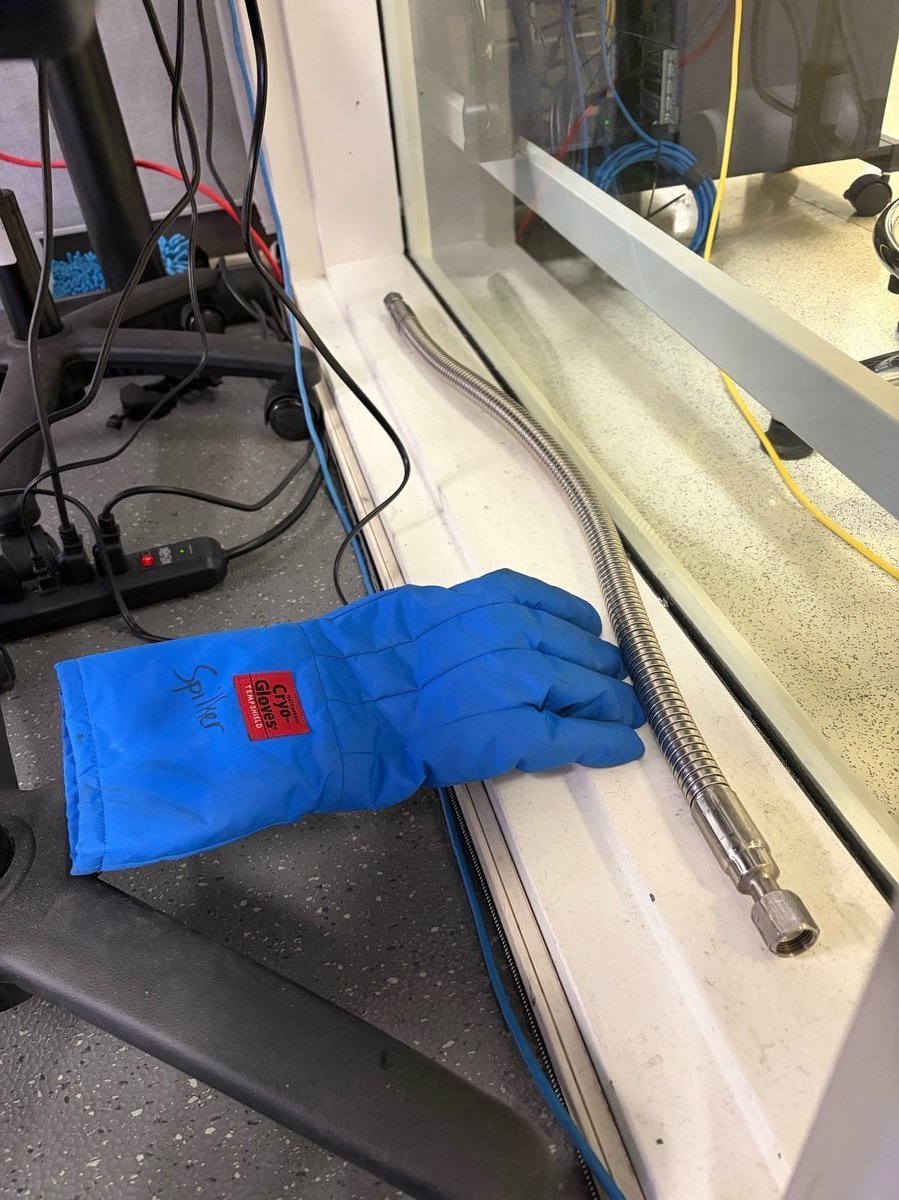
Cryo gloves and the transfer hose are stored near the sample-loading zone.
-
-
Connect the transfer hose
-
On the portable tank, identify the valve labeled
LIQUID. The other valve is for gas — do not use it.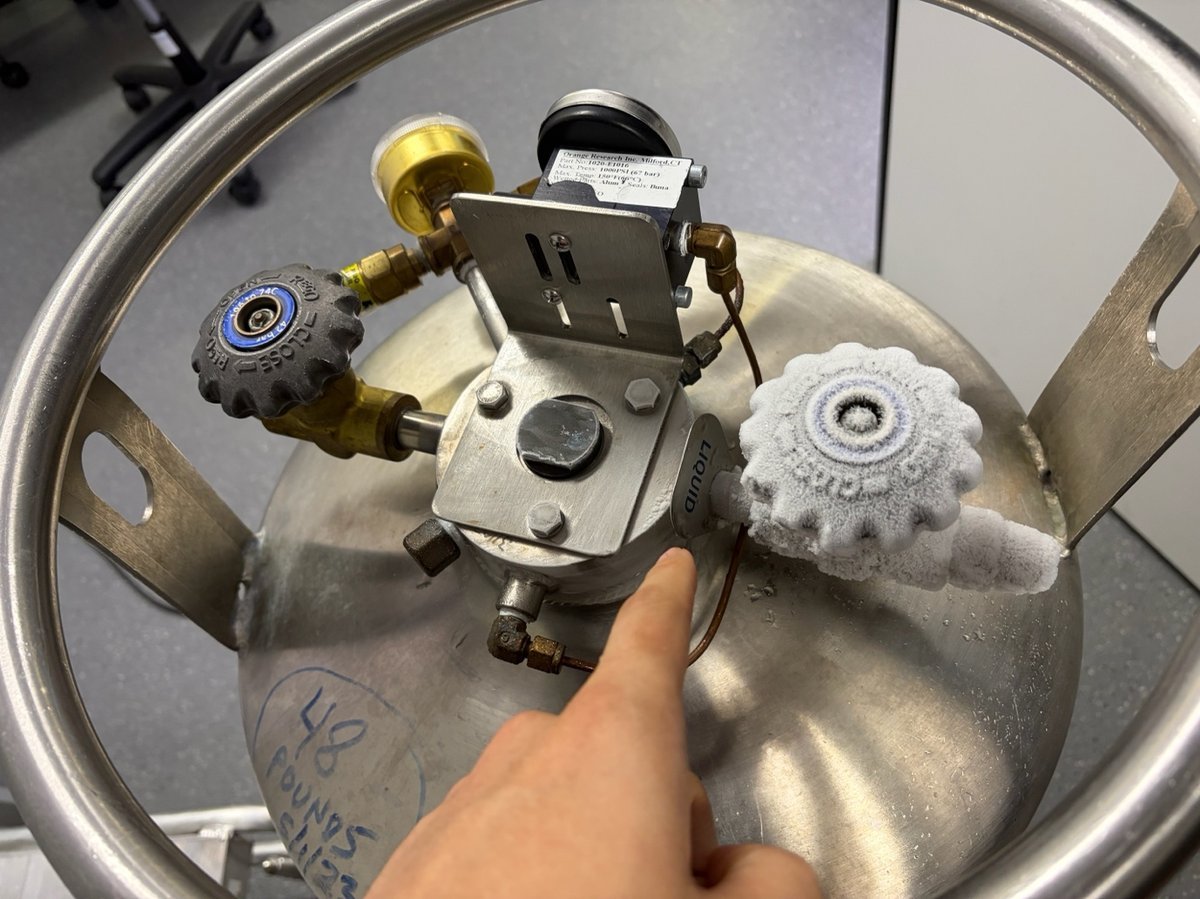
-
Attach one end of the transfer hose to the
LIQUIDvalve.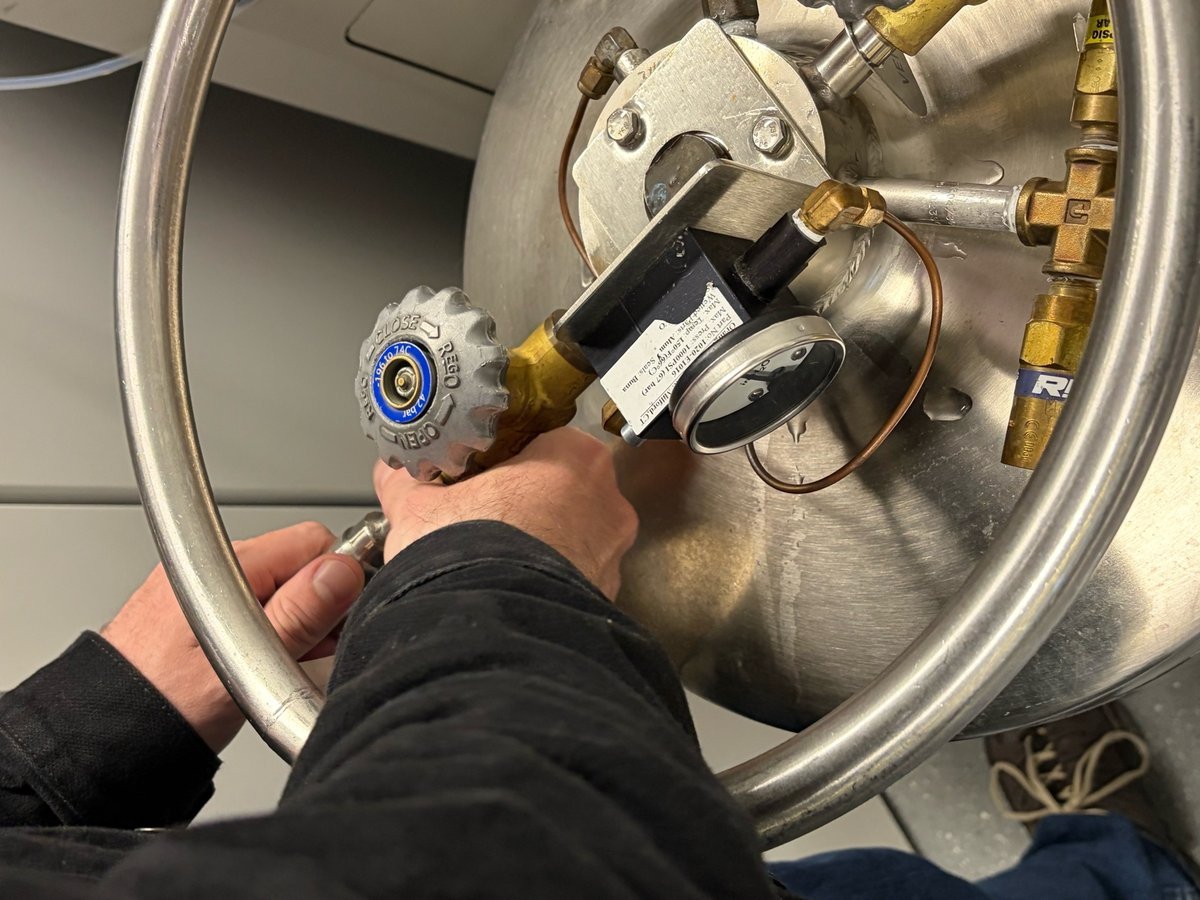
-
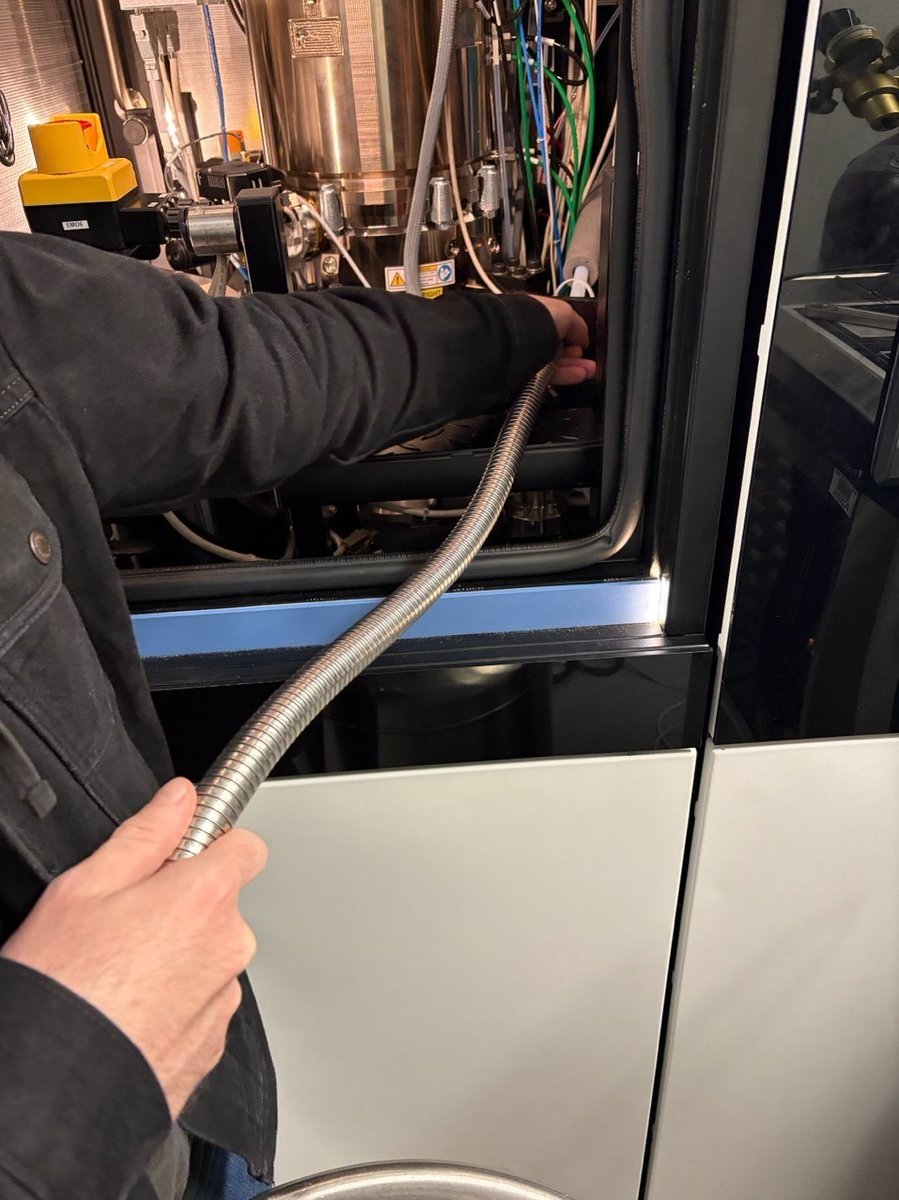
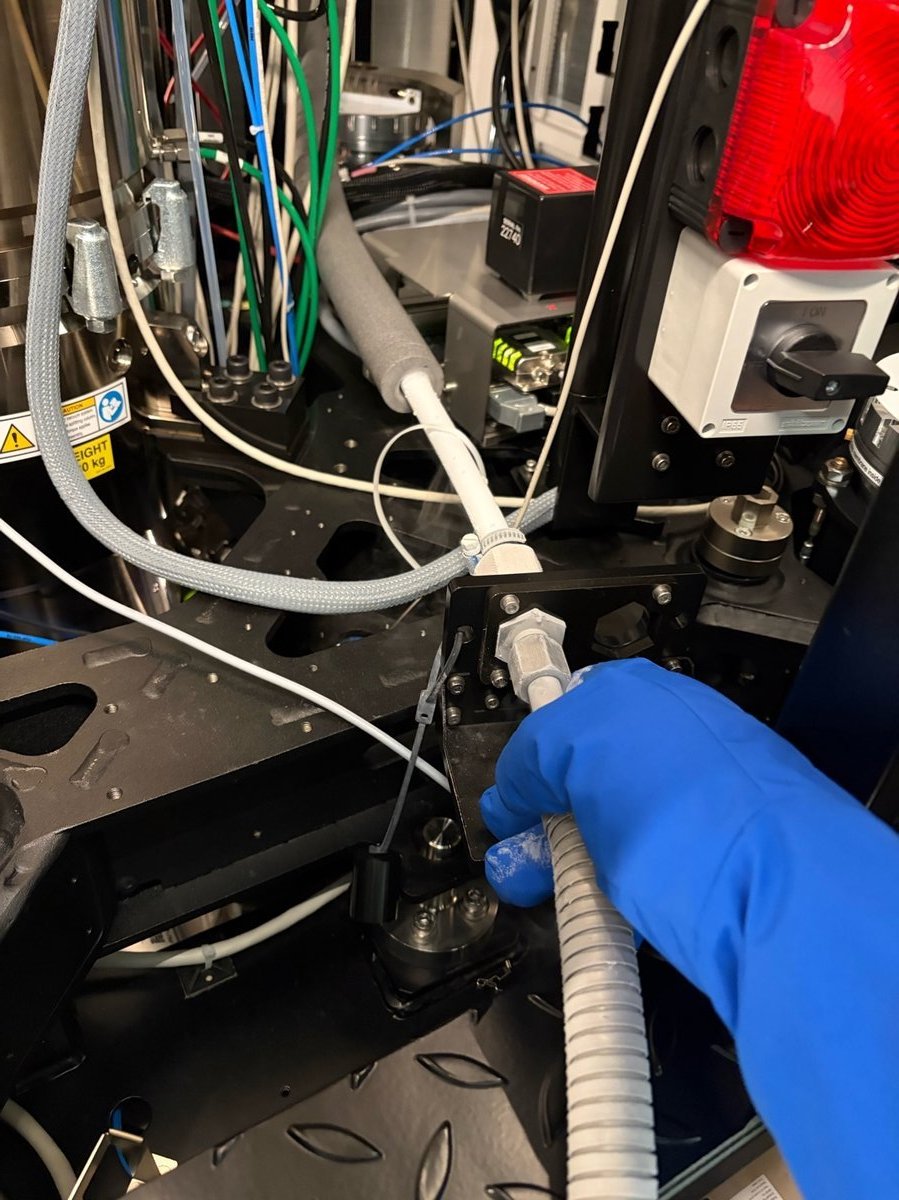
Insert the other end of the hose into the fill port on the Spectra.
-
-
Open the valve and fill
-
Open the
LIQUIDvalve by turning the knob counter-clockwise (towardOPEN).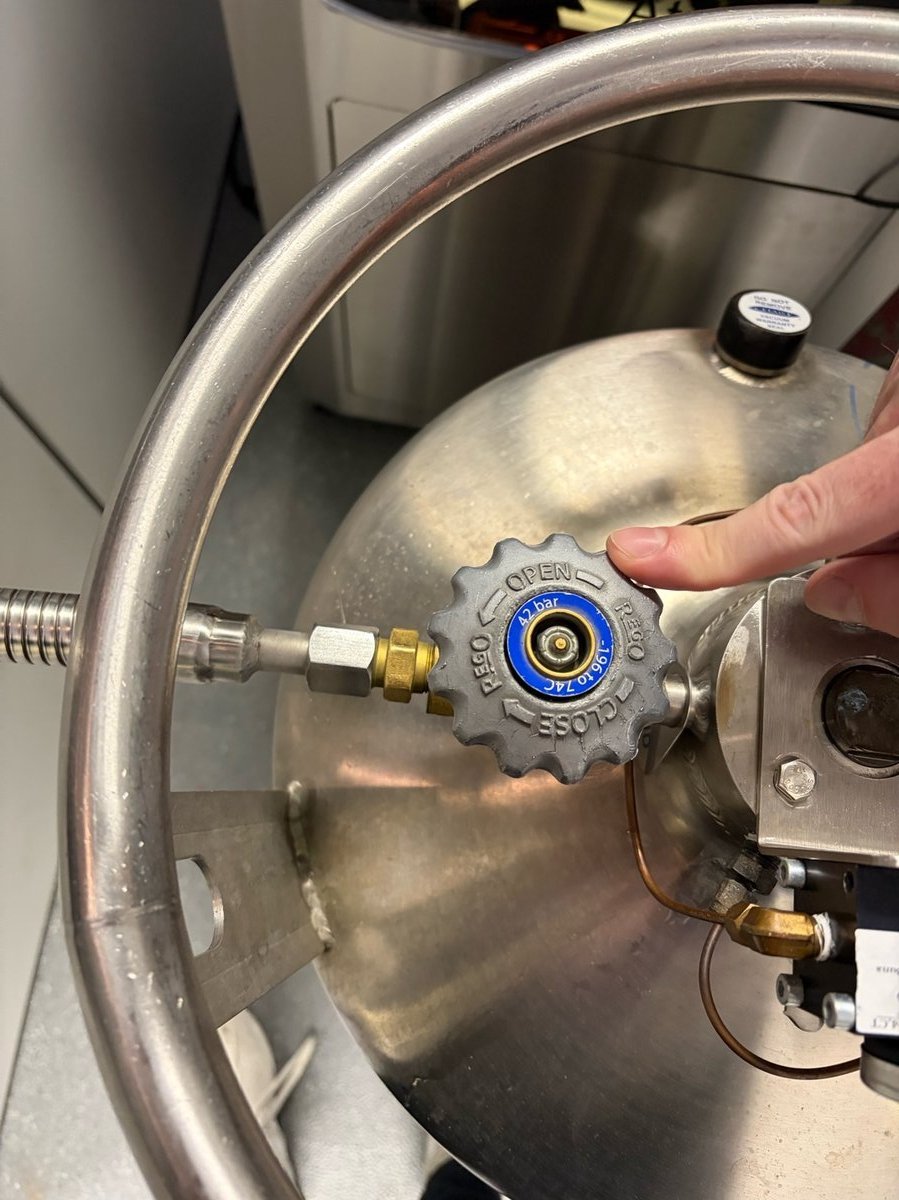
-
Watch the Spectra touch panel
Nitrogen Level. Stop at 80-85% to leave headroom for thermal expansion.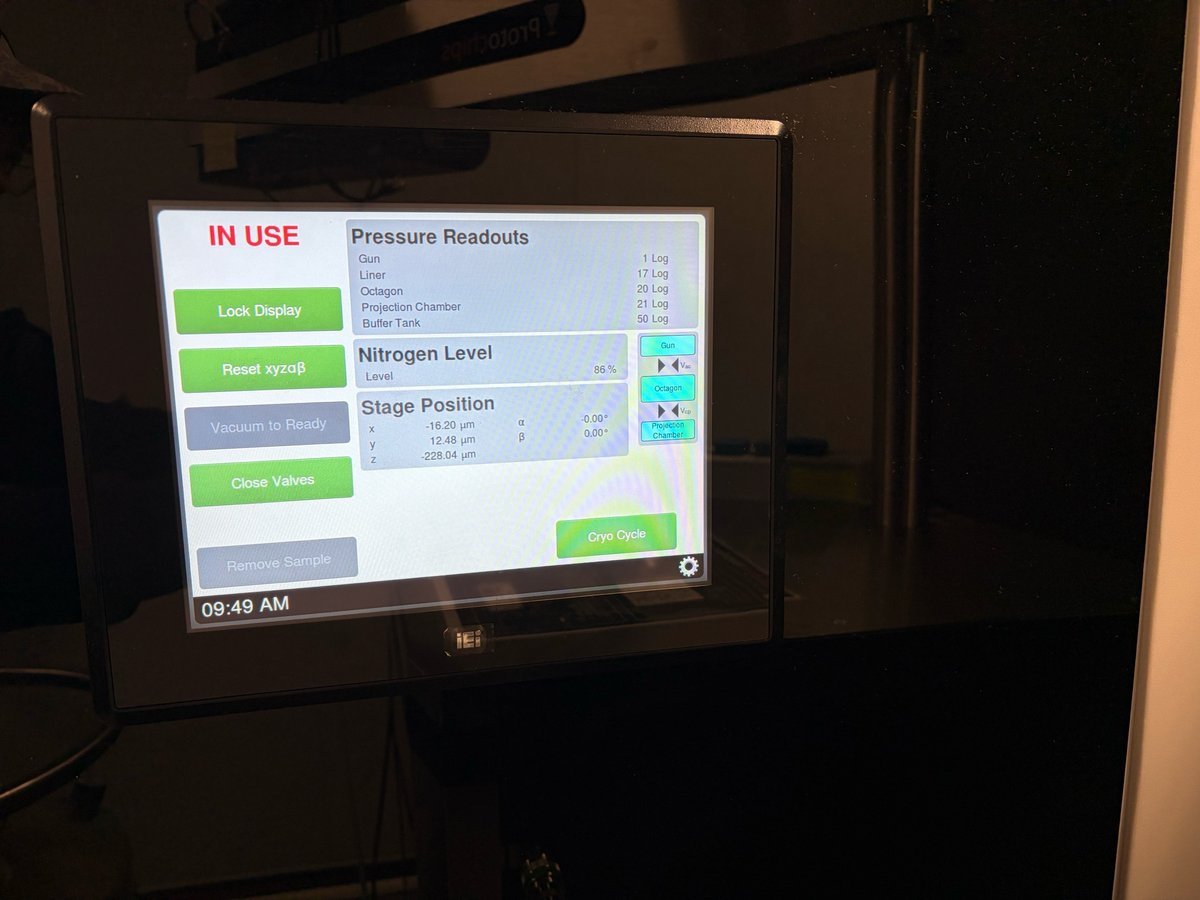
-
-
Close the valve and disconnect
-
Close the
LIQUIDvalve by turning clockwise (towardCLOSE). Use the wrench stored on the dewar handle if the knob is iced over.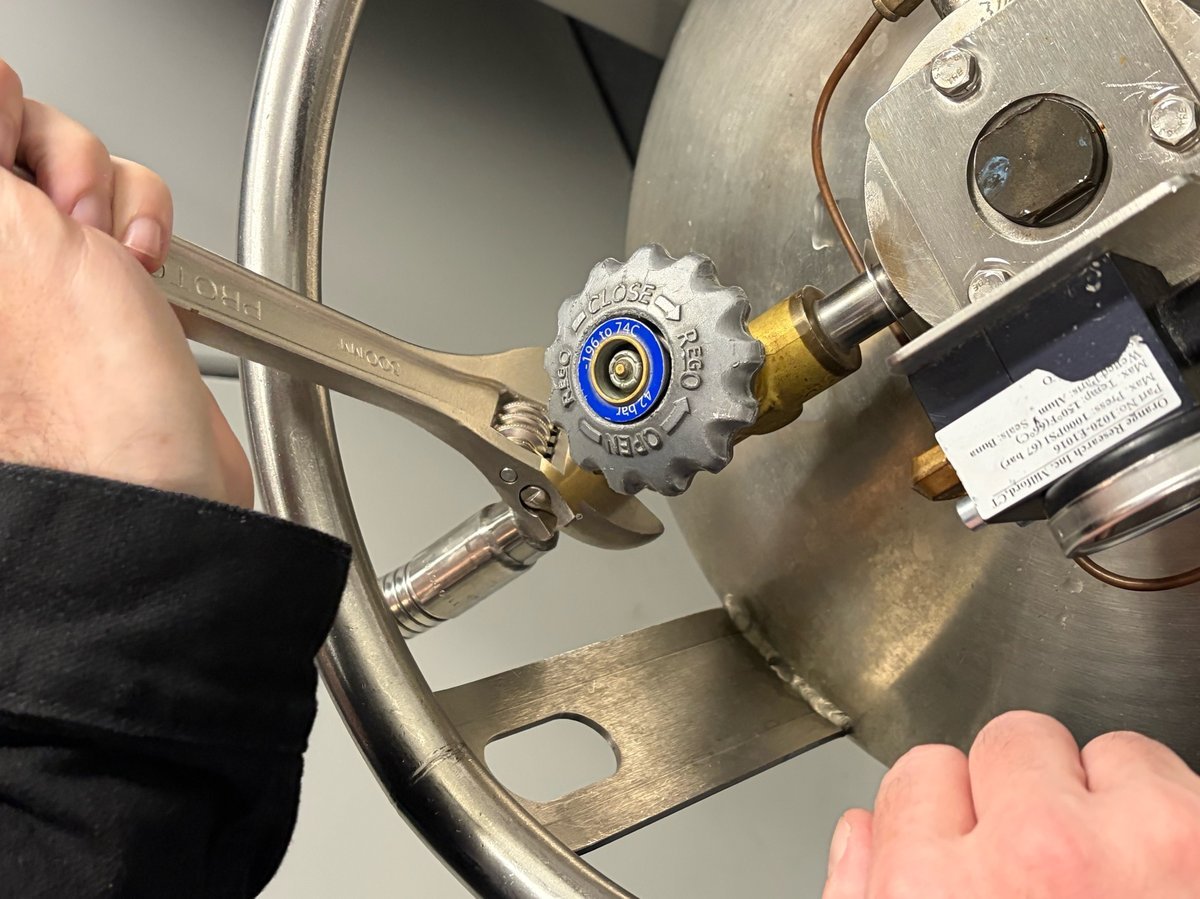
-
Disconnect the hose from the Spectra fill port.
-
-
Return the tank
-
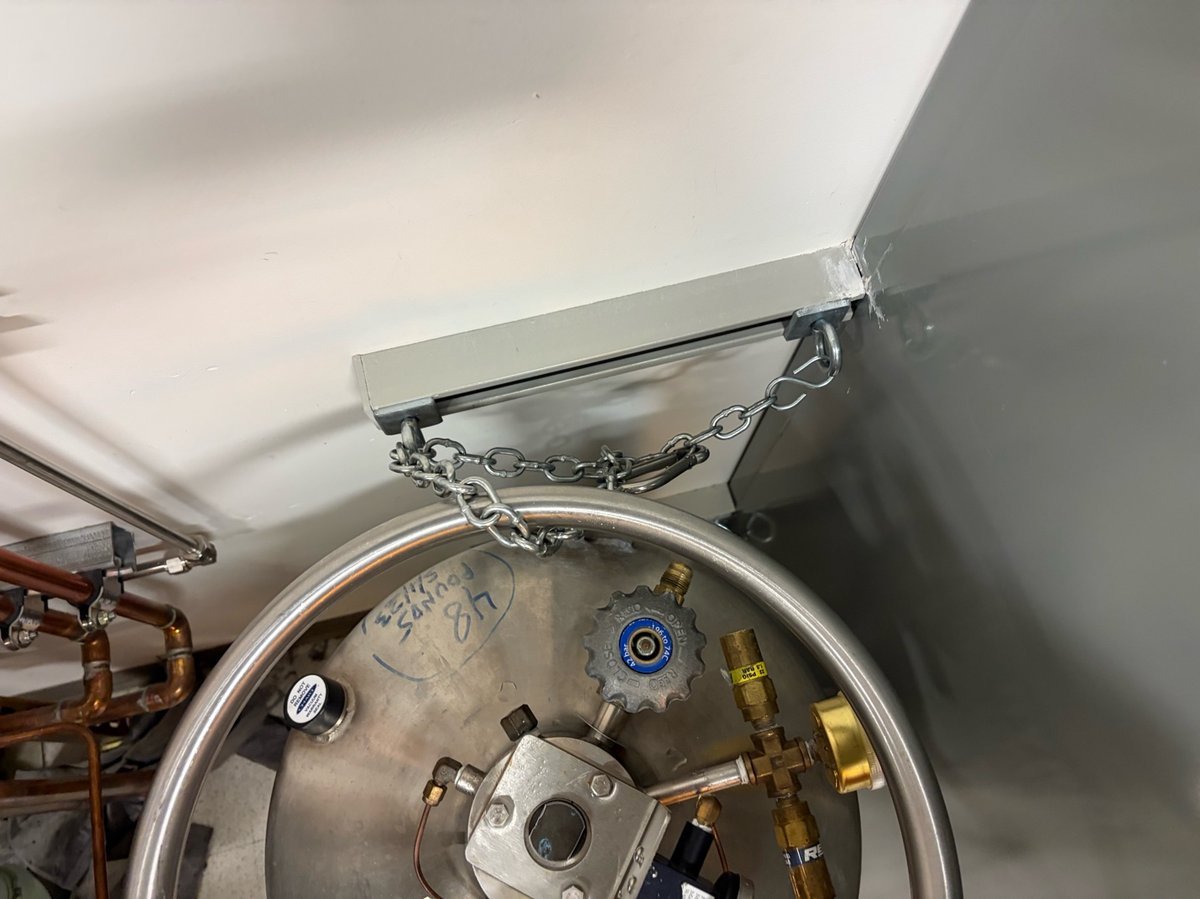
Roll the tank back to the back room. Lock it in place with the safety chain as shown.
-
Octagon recovery
The Octagon vacuum gauge measures the sample-area pressure. If it goes out of range, TEMUI reports an error and the Octagon gauge may show Disabled. Run Evaluate Column and toggle the column ion getter pump (IGPcl) to bring it back.
-
Confirm the Octagon error
-
In
TEMUI, open theVacuum (Supervisor)panel. The Octagon row readsDisabled(or a high log value) when the gauge has tripped.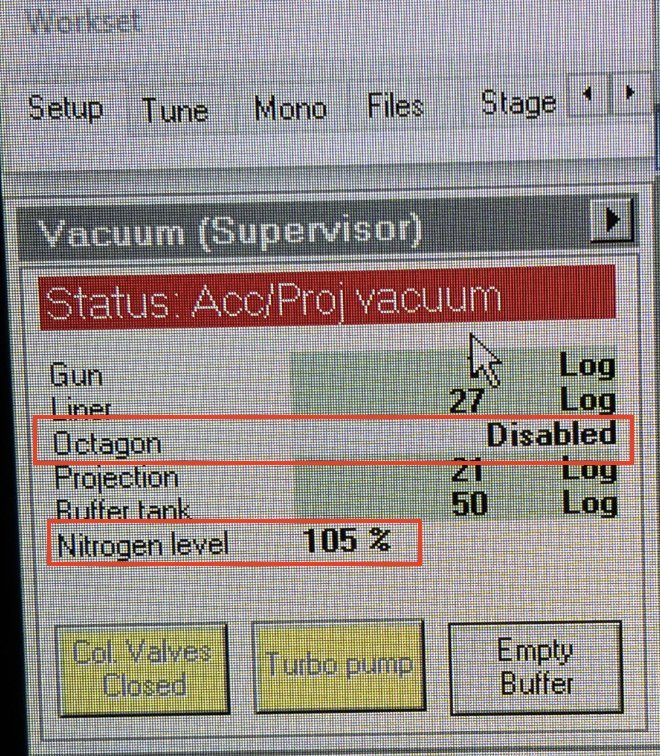
-
Open the error log to read the underlying message. Typical entries include
Vacuum Error: Octagon pressure is too highorWatchdog IGPco High.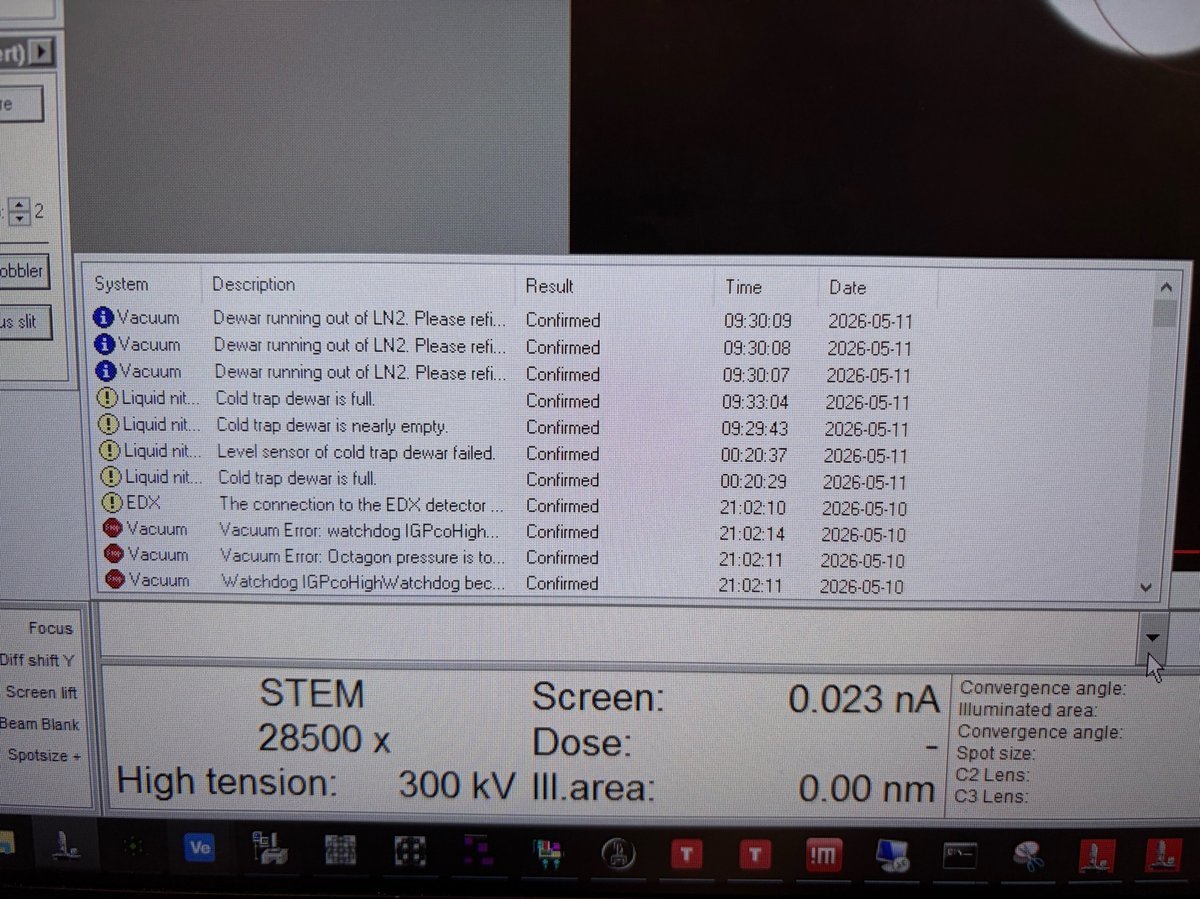
-
-
Run Evaluate Column
-
In
TEMUI, open the vacuum overview and clickEvaluate Column. The status changes toBusyand the action banner readsAction started: Evaluate Column / Waiting for IGP to start.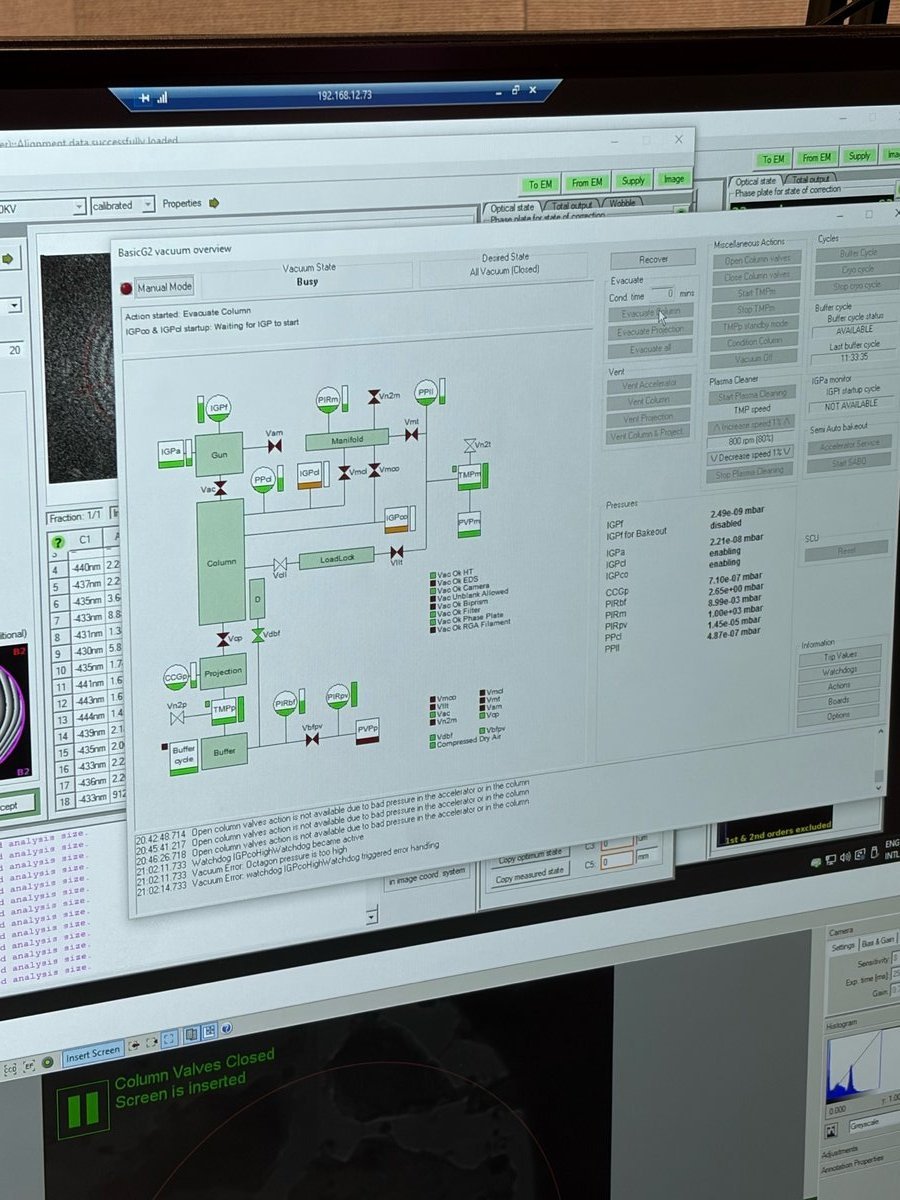
-
-
Toggle the column ion getter pump
-
In the same vacuum overview, click the
IGPclbutton (ion getter pump - column). TheIGPclindicator highlights while the pump cycles.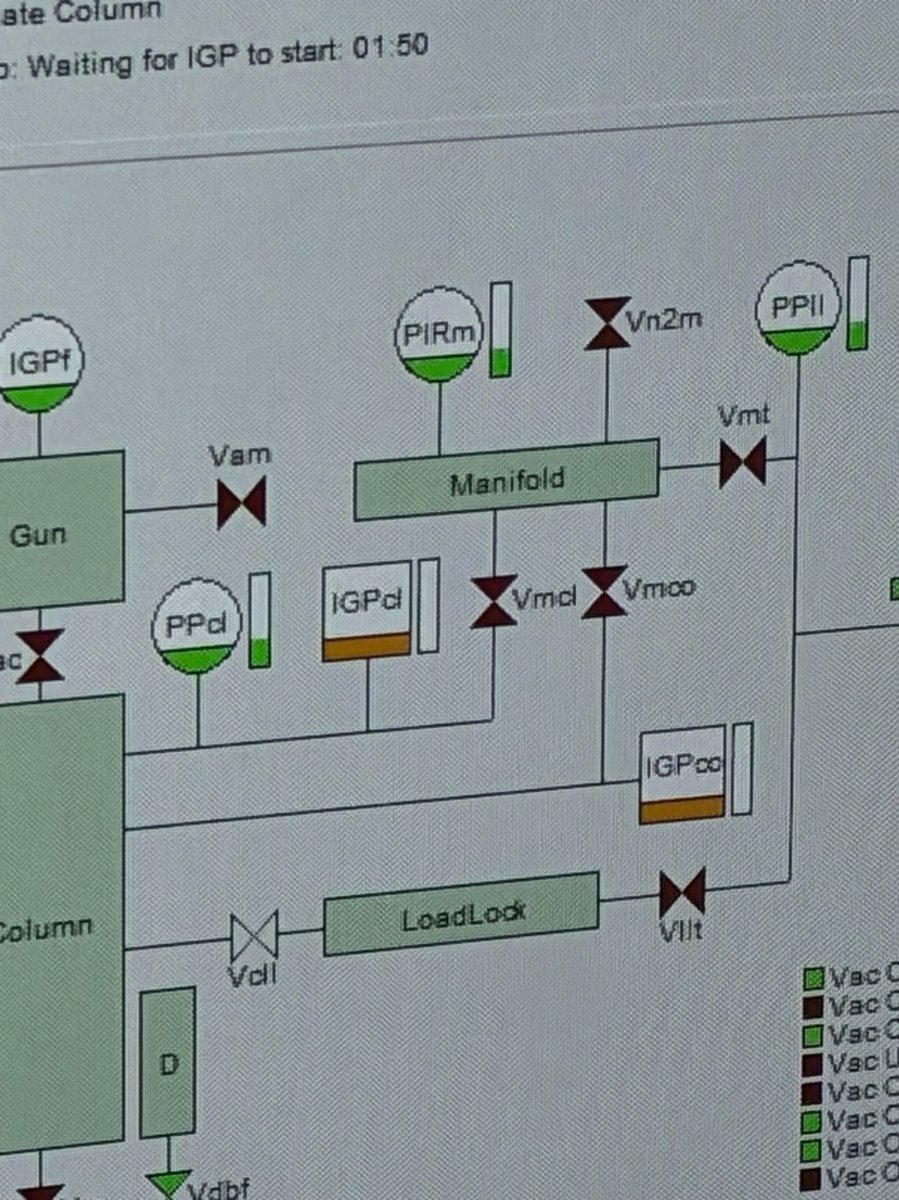
-
-
Wait for recovery
-
Watch the
Vacuum (Supervisor)panel. Status readsBusywhile the system recovers and the Octagon log value drops.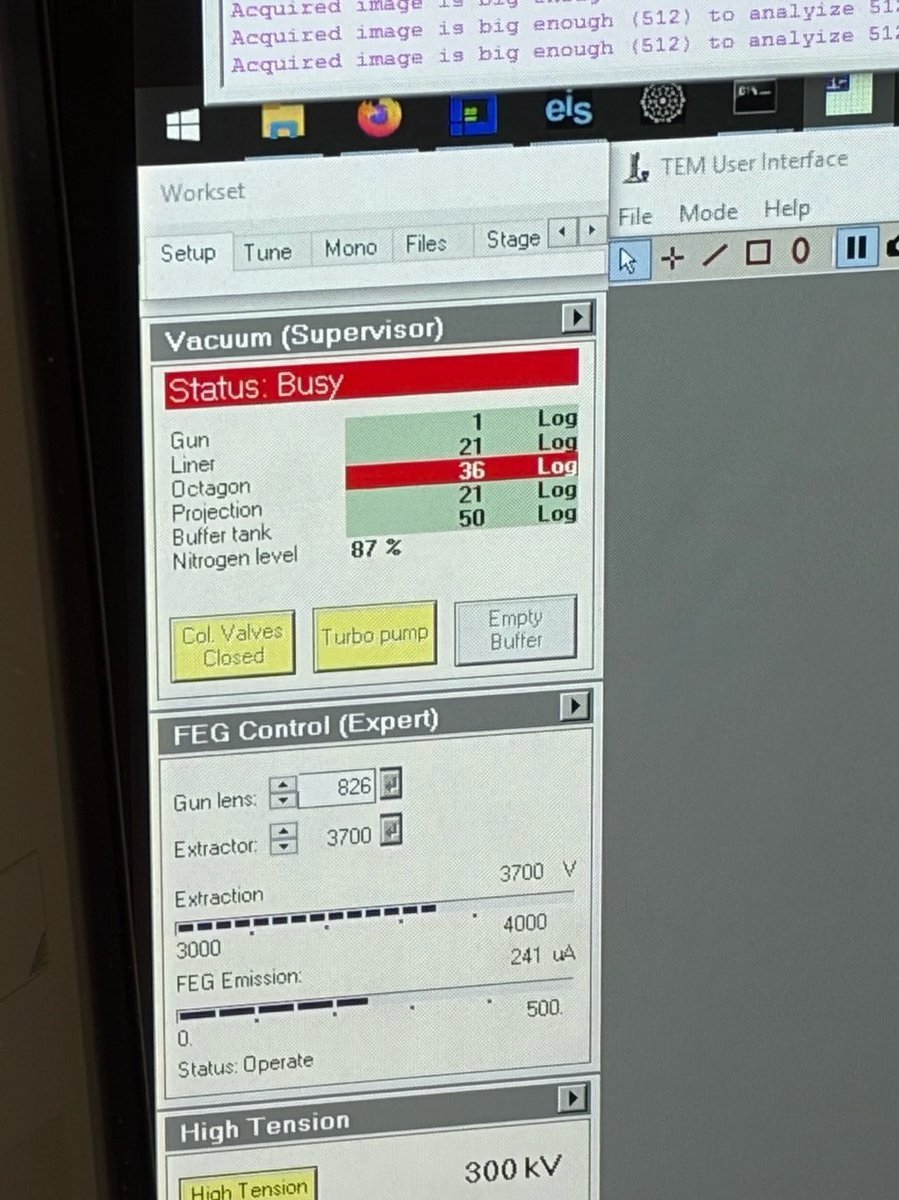
-
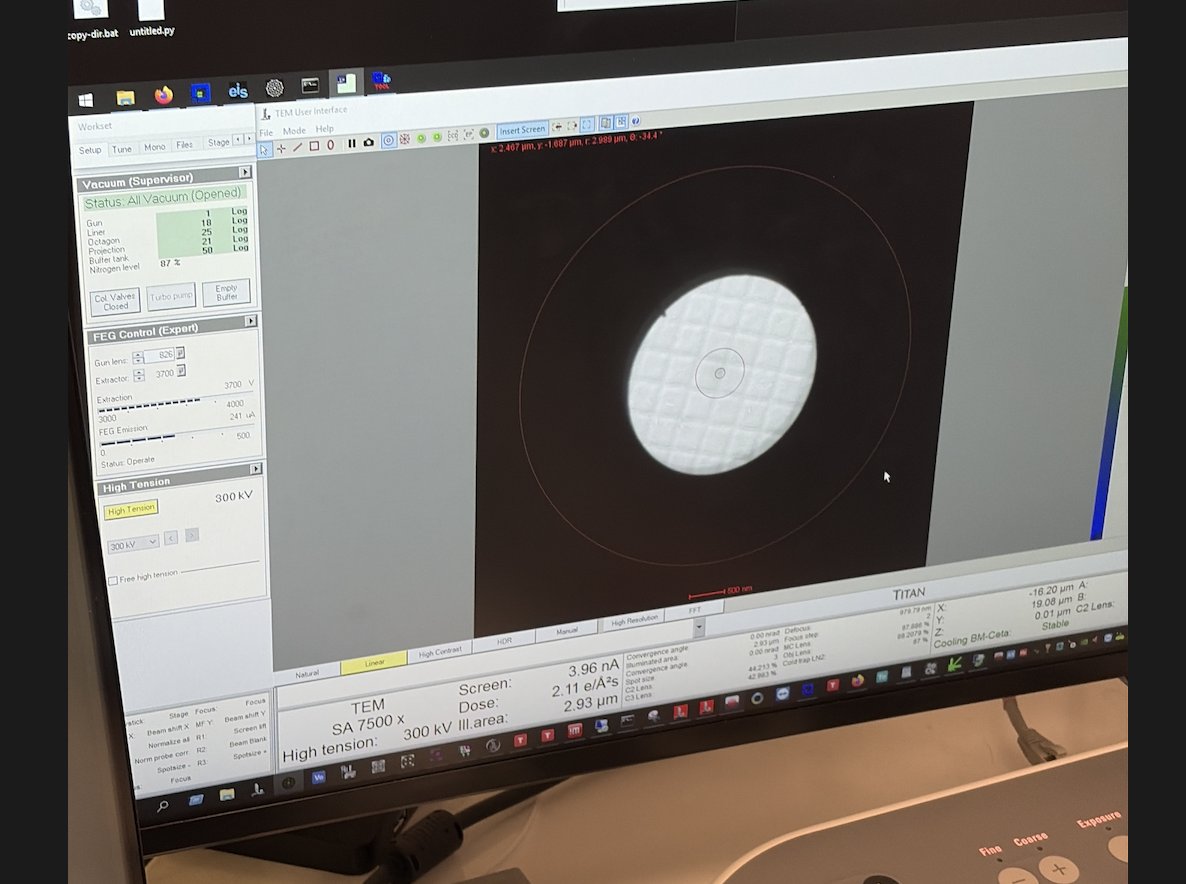
Wait for the Octagon row to return to green. If it does not recover within a few minutes, escalate to staff.
-
Once recovered, return to imaging and verify the beam is visible on the fluorescent screen.
-
Changelog
- May 11, 2026 - Initial draft of Octagon recovery and LN2 fill from staff notes by @bobleesj